
Volume Booster:Sound Amplifier
o16i AppsMusic & Audio
4.5115.00 Reviews
- Version
- 2.1.3
- Installs
- 500.00K
- Age Rating
- Everyone
Screenshots
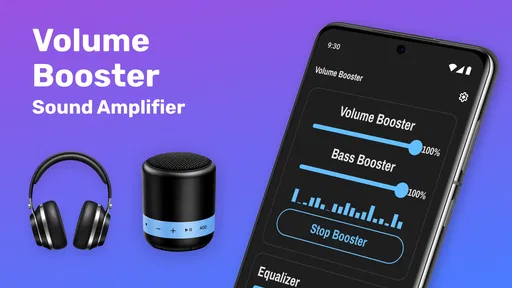
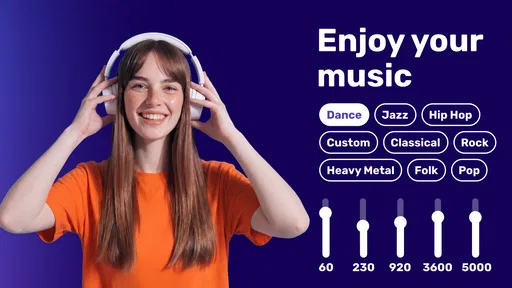
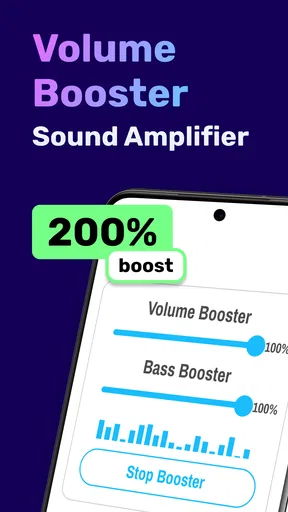
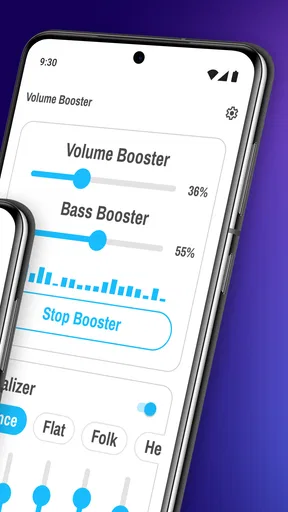
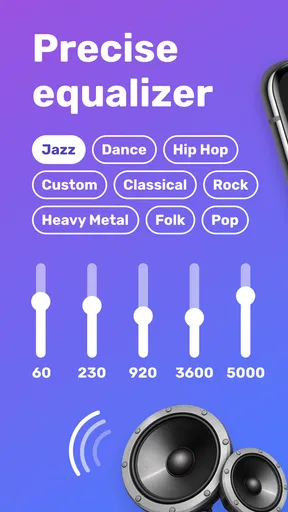
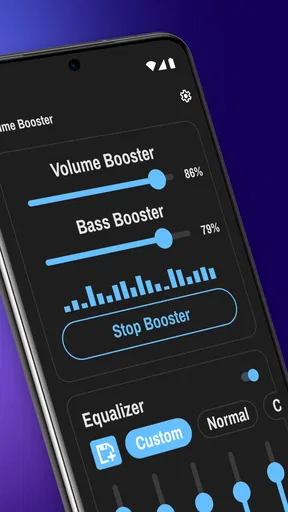
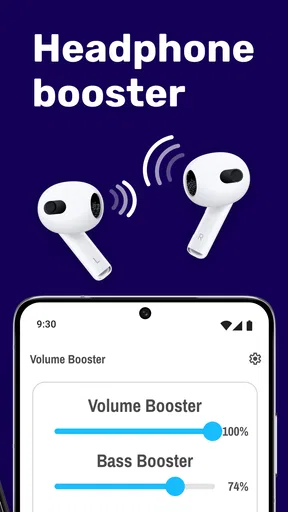
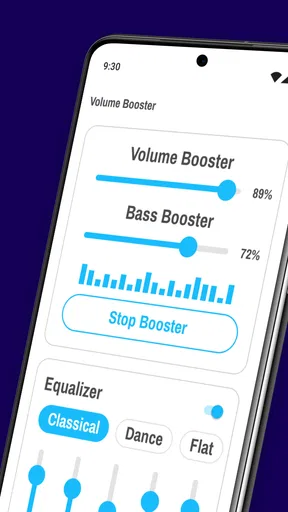
Our Review of Volume Booster:Sound Amplifier
 Analysis by Appyee
I tried Volume Booster: Sound Amplifier with a simple goal: make quiet audio easier to hear without replacing the music player or changing the way I normally use my phone. It is a free Music & Audio app from o16i Apps, and its appeal is immediately clear. Instead of searching through several system menus, I could use a dedicated sound tool when a video, song, podcast, or spoken message felt too quiet.
That convenience is also the key to understanding the app. It is not a new audio library, a streaming service, or a full equalizer for people who want to redesign every part of a track. Its job is narrower: help raise perceived loudness. In my experience, that makes it useful in specific everyday situations, but it also means I had to use it with some restraint. More volume is not automatically better sound, and the result depends greatly on the phone, speaker, headphones, and original recording.
How the app feels in everyday use
The first thing I noticed was the straightforward purpose. When I opened it, I did not approach it expecting studio controls or a collection of listening features. I treated it as a quick adjustment layer for moments when the normal volume range was not quite enough. That makes the app easier to understand than many audio utilities that combine boosters, bass controls, visualizers, ringtones, and unrelated extras in one crowded interface.
The most practical workflow is to start with a modest increase, play the audio you actually want to hear, and then adjust gradually. A setting that seems exciting during a short test can become tiring during a full song or a long spoken recording. I found that checking the result with different material matters: music with strong bass can react very differently from a podcast with mostly speech, while a compressed video may already sound harsh before any boost is applied.
The useful question is not “How loud can this go?” but “How much extra volume do I need right now?” That small change in attitude prevents the app from becoming a blunt control that is left at its highest setting all day. It also makes the tool more suitable for shared spaces, travel, and casual listening, where a little extra clarity can be more valuable than maximum output.
Speed expectations and the first adjustment
For a tool with such a focused purpose, I expect the main control to feel immediate. I do not want to wait through a complicated setup before testing whether a quiet clip is easier to hear. Volume Booster: Sound Amplifier fits that expectation in spirit because the entire experience is centered on changing loudness rather than managing a large media collection.
Still, the perceived speed of any audio booster is not only about the app itself. The source app may handle audio differently, the phone may apply its own volume limits, and wired or wireless accessories can introduce their own behavior. If a change does not seem obvious, I would first check the phone’s regular volume control and the output device before assuming the booster has failed. This is an important practical distinction: an amplifier can influence the signal, but it cannot turn a small phone speaker into a larger physical speaker.
I also recommend making the first test with familiar audio. A song I know well gives me a better reference than an unfamiliar recording, and spoken content makes it easier to notice whether voices become clearer or merely louder. This simple comparison is more useful than judging the app from a single loud track.
What happens during heavy listening
The demanding moments are not necessarily the ones with the highest volume. Long listening sessions, bass-heavy music, and switching repeatedly between quiet and loud sources are more revealing. During those situations, I pay attention to whether the sound remains comfortable, whether the phone’s speaker starts to sound strained, and whether I need to keep returning to the app to correct the level.
A booster is most helpful when the original audio is consistently a little too quiet. It is less attractive when every source has a different loudness level. For example, a podcast may need a gentle increase, while a music video may already be close to the comfortable limit. If I leave the same aggressive setting active and move between them, the listening experience becomes less predictable. My preferred approach is to treat the app as a situational tool rather than a permanent maximum-volume switch.
There is also a quality trade-off. Raising loudness can expose distortion that was not obvious at a lower level, especially through small built-in speakers. Bass may feel more forceful, but force is not the same as detail. If the sound becomes brittle, fuzzy, or uncomfortable, lowering the boost is the right fix. Changing headphones or moving closer to the device can sometimes improve intelligibility more effectively than adding more amplification.
For a realistic everyday example, imagine listening to a spoken article while cooking. The extractor fan, running water, and movement around the room can make speech difficult to follow. A moderate increase may help for that short period. If I then stop cooking and return to a quiet room, I would reduce the level before playing music or handing the phone to someone else. That habit is simple, but it avoids the unpleasant surprise of unexpectedly loud playback.
Stability and recovery when listening changes
Reliability matters more to me here than a long list of controls. I want the app to behave consistently when I open it for a quick adjustment, switch to another audio app, pause playback, or reconnect an accessory. Because the booster works alongside other audio sources, the phone’s own audio handling remains part of the experience. In other words, a smooth result depends on the relationship between this app, the operating system, and the player producing the sound.
When audio changes unexpectedly, my first recovery step is to return the volume to a comfortable level using the phone’s normal control. I then check whether the source app is still playing and whether the output has changed from headphones to the speaker. Only after those checks would I reopen the amplifier. This workflow is safer and faster than repeatedly pushing the booster higher without knowing which part of the audio chain is responsible.
The app’s current version is 2.1.3, and it has been available since June 3, 2021. Those details give it a meaningful history rather than the feel of a brand-new experiment, while the experience still depends on the particular device running it. I would not judge stability solely by how the app behaves on one phone, especially when audio routing and manufacturer volume limits vary so widely.
Its audience size is another useful signal. The app has passed 500 thousand installs and holds a 4.5 average from around 16 thousand ratings. I see that as evidence that the basic idea is attractive to many users, not as a guarantee that every handset will produce the same result. Audio accessories, speaker design, and system software can change the outcome considerably.
Device limits and compatibility choices
The minimum operating system is iOS 11, so anyone using an older iPhone should check compatibility before planning around it. For supported devices, the more important limitation is physical: software can adjust an audio signal, but it cannot repair a weak speaker, damaged headphones, or a poor recording. If the source is muffled, adding volume may make the muffling more noticeable rather than restoring missing detail.
I would be especially careful with inexpensive earbuds and small phone speakers. They can reach an uncomfortable point quickly, and distortion can make listening more tiring. Headphones with better isolation may be a better solution when the real problem is background noise. Likewise, for a room full of people, a proper external speaker is more appropriate than asking a phone’s tiny speaker to produce a much larger sound field.
People who want precise frequency shaping may also find the app too limited for their needs. A dedicated equalizer is the better choice when the goal is to reduce harsh treble, manage bass, or compensate for a particular pair of headphones. Someone who mainly listens to podcasts may prefer a player with speech-focused controls, playback speed options, or loudness normalization. This booster makes more sense when the immediate problem is overall loudness rather than tonal balance.
It is free to start, which makes testing the basic idea easy. There are in-app purchases ranging from $0.99 to $99.99 per item, so I would look carefully at what any optional purchase unlocks before paying. For occasional use, the free entry point is a strong reason to try it first. For anyone who dislikes optional purchase prompts or expects every audio tool to be completely unrestricted at no cost, that part of the experience deserves attention.
Three practical habits that improve the result
My first tip is to create a personal ceiling instead of chasing the strongest possible output. Test a familiar voice recording, then a song, and stop increasing the level as soon as the quieter material becomes comfortable. This gives me a reference point that is more dependable than a number on a slider, because comfort varies between sources and devices.
My second tip is to reset expectations after changing outputs. A level that works through headphones may be excessive through the built-in speaker, and a setting that helps in a noisy kitchen may be unnecessary in a bedroom. I would make the adjustment after connecting the accessory I intend to use, not before. That small step prevents the common mistake of carrying an aggressive setting from one listening environment into another.
My third tip is to use the app for short, defined problems rather than leaving it involved in every listening session. If I am trying to hear a quiet voicemail, follow speech during a commute, or make an older video more intelligible, the booster has a clear purpose. If I am listening for hours, the better answer may be a more suitable output device, a different recording, or a player with normalization. This is where the app’s focused design becomes both its strength and its boundary.
A fourth useful habit is to compare the boosted result with the unboosted version at a comfortable level. Sometimes extra loudness initially feels like extra clarity, but a quick comparison reveals whether details have actually improved. If the source remains muddy, I would stop increasing the volume and look for a better recording or headphones instead.
Who should use it, and who should skip it?
I think this app is a good fit for someone who regularly encounters audio that is just below a comfortable level and wants a simple, dedicated way to address it. It can be handy for short videos, spoken content, music played quietly in a personal space, and older recordings whose loudness is inconsistent. The Everyone age rating also makes its general audience broad, although sensible volume habits still matter for every listener.
I would recommend trying it before buying specialist audio hardware if the problem is occasional and mild. The free starting point reduces the risk of discovering that the phone itself is the real limitation. I would also consider it for people who do not want a complicated equalizer and only need a more direct loudness adjustment.
I would skip it if the main goal is advanced sound design. Audiophiles seeking detailed frequency correction, musicians needing monitoring tools, or users who want a complete audio workstation should look elsewhere. I would also avoid relying on it as a solution for serious hearing difficulty. A software boost is not a substitute for professional advice, properly fitted hearing equipment, or a safer listening setup.
Final performance verdict
My overall impression is that Volume Booster: Sound Amplifier is most convincing when used as a quick, controlled answer to quiet playback. Its focused role keeps the learning curve manageable, and its large user base suggests that the need it addresses is familiar. I like that it can be approached casually: test it with real audio, keep the increase moderate, and decide whether the result is genuinely clearer and more comfortable.
Its limits are equally important. Performance is tied to the phone, the operating system, the source recording, and the output hardware. Heavy boosting can make weak speakers sound rough rather than powerful, and a single setting will not suit every app or environment. The optional purchases also mean I would inspect the upgrade screen carefully instead of assuming every useful control is included without conditions.
For me, the best verdict is practical rather than dramatic: this is a useful volume aid, not a replacement for better speakers, better headphones, audio normalization, or a full equalizer. If your everyday problem is “this recording is nearly loud enough,” it is worth testing. If your problem is distortion, poor sound quality, missing bass detail, or the need for precise audio control, another solution will probably serve you better.
As a free Music & Audio app from o16i Apps, it earns its place through convenience rather than complexity. I would keep the boost conservative, adjust it whenever the listening situation changes, and treat comfort as the final measure of success. Used that way, it can make quiet content easier to follow without pretending that software can overcome every physical limit of a phone.
Verdict
Strengths of Volume Booster:Sound Amplifier
- Quickly increases volume for music, videos, and calls.
- Simple controls make boosting audio easy for all users.
- Useful for devices with weak or quiet built-in speakers.
- Can improve sound clarity when using headphones or earbuds.
- Lightweight app with a straightforward, uncluttered interface.
Limitations of Volume Booster:Sound Amplifier
- Excessive amplification may cause distortion or crackling.
- High volume levels can damage hearing or connected speakers.
- Results vary depending on the phone model and audio source.
- May not boost every app because of Android audio restrictions.
- Some features or controls may require ads or in-app purchases.
Other Releases by o16i Apps
View All
Glitter Wallpapers For Girls
Personalization4.8

Send My Location - GPS Tracker
Maps & Navigation4.5

Beauty Camera: Selfie Editor
Beauty4.1

Mirror App - Makeup Mirror
Beauty4.6
Similar Picks in This Category
View All
YouTube Music
Google LLC4.4

Samsung Music
Samsung Electronics Co., Ltd.3.8

Spotify: Music and Podcasts
Spotify AB4.3

JioSaavn - Music & Podcasts
Saavn Media Limited4.3

Lark Player:Music Player & MP3
Lark Player Studio - Music, MP3 & Video Player4.6

StarMaker: Sing Karaoke Songs
SKYWORK AI PTE. LTD.4.3
Frequently Asked Questions
What is Volume Booster: Sound Amplifier, and how does it work?
Volume Booster: Sound Amplifier is an Android utility designed to make audio appear louder through your phone’s speaker, headphones, or other connected output devices. It typically applies software amplification to media playback rather than physically upgrading the speaker. After opening the app, you can adjust the boost level and test the result with music, videos, games, or other supported audio content.
Can Volume Booster: Sound Amplifier make every sound on my device louder?
The app can improve the perceived volume of many types of media, including music, videos, podcasts, and games, but its results depend on the Android version, device manufacturer, audio source, and output hardware. System notifications, phone calls, alarms, and protected streaming content may not respond in the same way. Some apps also limit how third-party volume tools can affect their audio.
Is it safe to use Volume Booster: Sound Amplifier at maximum volume?
Using a volume booster at a high level may cause distortion, harsh sound, or clipping, especially through small built-in speakers. More importantly, prolonged listening at loud levels can harm your hearing, particularly with headphones or earbuds. It is best to begin with a modest boost, increase the volume gradually, and reduce it immediately if the sound becomes uncomfortable or distorted.
Does Volume Booster: Sound Amplifier work with headphones and Bluetooth speakers?
Compatibility can vary depending on the phone, Android version, Bluetooth device, and the audio player being used. In many cases, the app can enhance media played through wired headphones, wireless earbuds, or Bluetooth speakers, but the actual improvement may differ between devices. Bluetooth volume controls, manufacturer audio settings, and codec limitations can also affect the final result.
Does Volume Booster: Sound Amplifier require special permissions or an internet connection?
The app may request permission to run an audio-related service or display controls over other applications, depending on the features included in the installed version. These permissions should be reviewed before enabling them. Basic volume adjustment commonly works without a continuous internet connection, although advertisements, analytics, updates, or optional features may require network access.
